Smart off-peak charging
Schedule Your 7kW EV Charge for Off-Peak Hours: A Smarter Home-Charging Checklist
A portable 7kW charger can do more than connect your EV to power. With a planned charging schedule, you can prepare the car for overnight charging, avoid times when household demand may be higher, and keep a clearer view of each charging session through the Smart App.
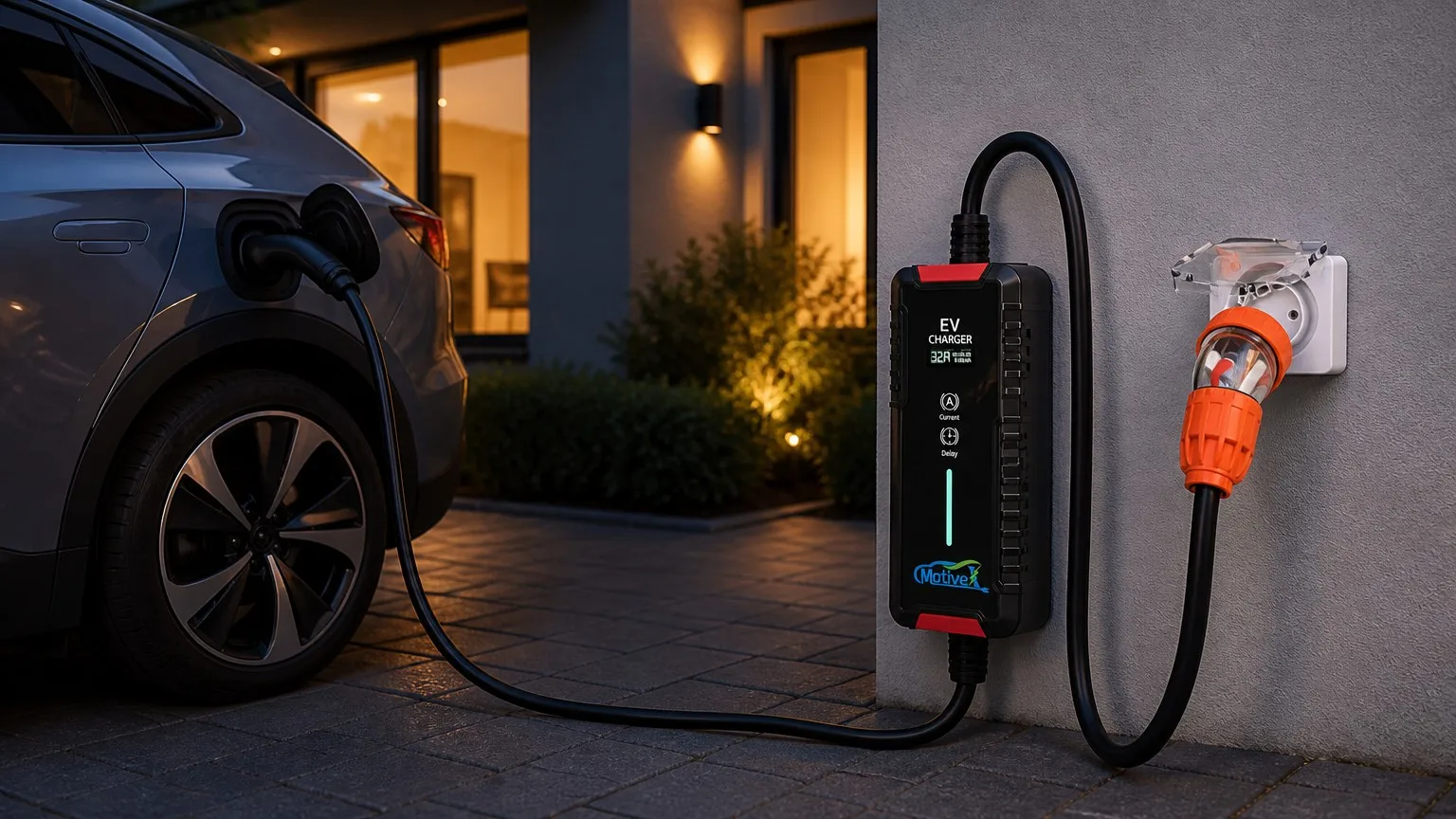
The practical benefit: plug in when you arrive, schedule the intended start, and check the session later. The exact timing and electricity rate depend on your retailer, tariff and home setup, so always confirm your own off-peak window before relying on a schedule.
Start with two separate decisions
Choose the right charging window
Many households prefer to plan EV charging outside the busiest evening-use period. If your electricity plan offers different time periods, check the current tariff details with your retailer and choose a delayed start that aligns with your available off-peak window. A schedule is a planning tool, not a promise of a particular price.
Confirm the complete physical connection
Before setting a delay, confirm the Type 2 connector is fully seated in the vehicle and the orange industrial plug is securely seated in its matching industrial socket. Inspect the charger, cable, plug, socket and vehicle inlet for damage, moisture, dirt, loose parts or heat marks.
Your off-peak charging timeline
When you park: prepare for the planned session
- Park so the Type 2 connector and cable can reach naturally without tension.
- Keep the cable route clear of tyres, doors, sharp edges, walkways, heat sources and standing water.
- Place the control box where it stays uncovered, dry and away from crushing loads.
- Connect the orange industrial plug only to its matching, suitable industrial socket arrangement.
Before the evening peak: set the charging plan
- Check your retailer or tariff information for the time period you intend to use.
- Select a suitable charging current for your vehicle and electrical setup.
- Set the charger delay or use the Smart App to plan the intended session.
- Confirm the selected setting on the LCD display before you leave the vehicle.
Overnight: monitor, do not guess
- Use the Smart App to check charging status and review the available usage information for the session.
- Keep the cable route undisturbed; avoid moving the vehicle or reconnecting the charger after scheduling.
- Check the vehicle and charger status after the planned start rather than assuming the session began normally.
- Follow charger and vehicle instructions if an alert or fault indication appears.
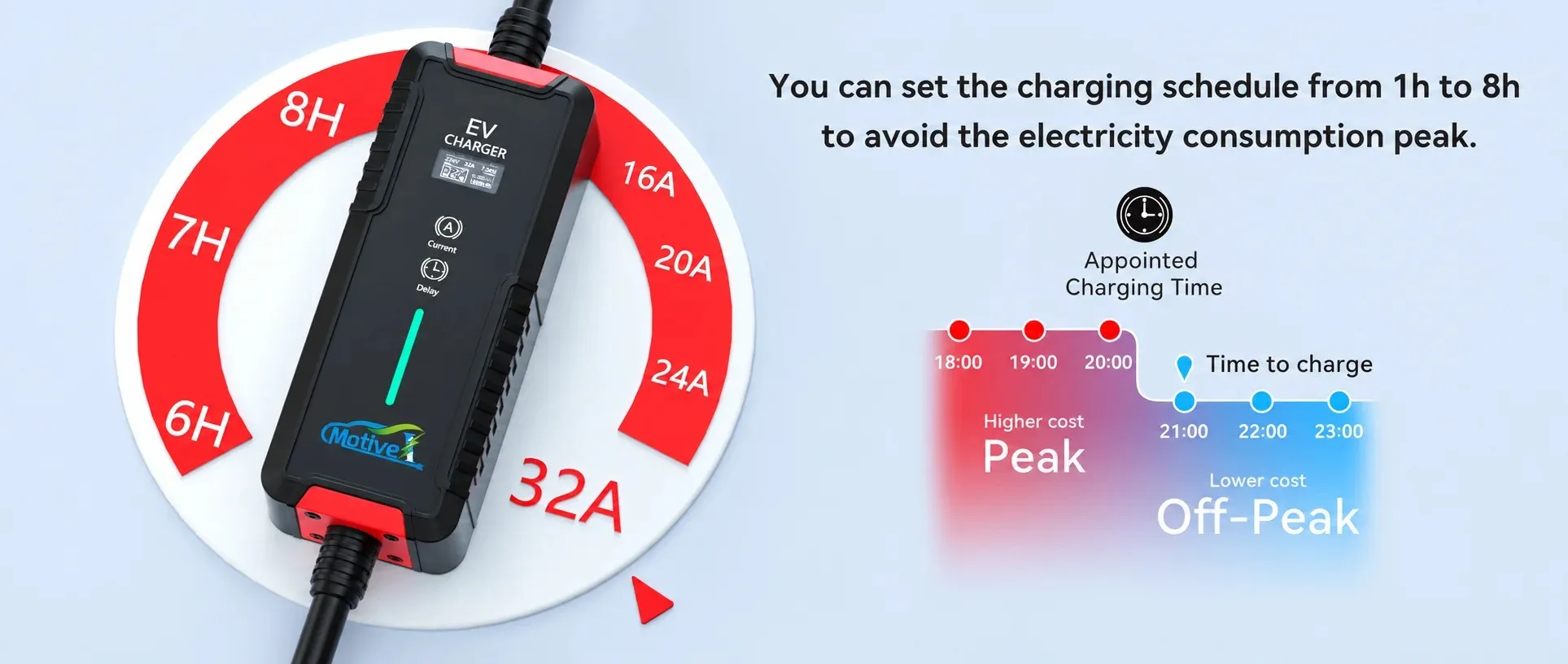
Five benefits of a planned off-peak charging routine
- Avoids avoidable peak-time charging: A delay lets you plan the intended start away from your household’s busy evening routine, subject to your own tariff conditions.
- Uses overnight parking time: Connect after arriving home and let the intended charging window begin later, without needing to return to the driveway at that time.
- Provides a clearer energy record: The Smart App can help you review charging status and available electricity-use information instead of relying only on memory.
- Supports efficient home charging: With up to 7kW output and adjustable 6A–32A current, you can choose a setting that suits the vehicle and planned electrical arrangement.
- Creates a repeatable routine: A fixed inspection, connection and scheduling sequence makes it easier to spot something that is different before charging begins.

32A Type 2 Portable EV Charger 7kW
Adjustable 6A–32A, up to 7kW output, Type 2 connection, scheduled charging, LCD display, Smart App compatibility and 5m or 10m cable options.
View the chargerMake the app part of the check, not a substitute for it
Use the app and LCD display to review the selected charging plan and session information, but make the physical inspection first. An app cannot correct a damaged cable, an unsuitable socket, a loose connection or a cable route that may be disturbed after you leave.
Safety features still need safe use
The product listing identifies CCID20 leakage protection, ground protection, over-temperature protection and an IP65 protection rank. These features support intended operation; they do not make damaged components, an unsuitable outlet or an unsafe cable route safe.
Frequently asked questions
Will scheduled charging automatically give me a lower electricity price?
Not necessarily. Electricity plans, retailer terms and time periods differ. Check your own tariff information before selecting a delay intended for off-peak charging.
Can I check my charging session in the app?
The product listing states Smart App compatibility for functions including charging status and scheduling. Review the information available in your own app setup and confirm the vehicle status after the planned start.
Can I select 32A for every charge?
Choose the current setting only when it is suitable for your vehicle and electrical arrangement. The product lists an adjustable 6A–32A range; confirm the appropriate setting before charging.
What should I do if the charger does not start at the planned time?
Check the LCD display, vehicle status, connection condition and cable route. Do not repeatedly reconnect without inspection. If the issue remains, document the indication and contact support.
Sources
- MotiveX 32A Type 2 Portable EV Charger 7kW product page
- Your electricity retailer or plan documentation for current tariff and off-peak time information
- Vehicle owner’s manual and charging guidance for your exact EV or PHEV
Always verify vehicle compatibility, outlet and plug ratings, installation condition, charger instructions, tariff terms and local electrical requirements before charging. This article is a practical planning guide, not electrical or energy-pricing advice. If you are unsure about an outlet, circuit, plug arrangement or fault condition, consult a qualified electrician. Product specifications and app functions should be confirmed on the product page and in your own setup before purchase or use.